
 HBO Max
 watch party with video chat
Watch HBO Max together with friends online. Flickcall syncs the show or movie on every screen and adds live video chat and text chat beside the player.
Free to use · Chrome extension
Game of Thrones. One play button for two laptops.
sound familiar?
Watching HBO Max long distance? We know this chat by heart.
Counting down over text. Somebody always ends up a few seconds ahead. You hear the laugh before you see the joke.
With Flickcall there is no countdown. One play button runs both laptops, and a pause on one side is a pause on both.
Ria, Sam, you
ok press play on 3
3… 2… 1… ▶️
wait I'm like 5 seconds ahead 😭
why are you laughing, nothing happened yet
PAUSE. pause pause. bathroom
never again ♡Watch HBO Max together online, miles apart.
- HBO Max in sync, even across episodesPlay, pause or skip, and everyone's player follows. When the host starts the next episode, the whole party moves with it.
- See reactions with video chatA video call and chat sit beside the show, so you catch every laugh and gasp. Camera off or mic only works too.
- Start a party in 10 secondsAll it takes is one click. No setup, no screen sharing, just a link to send.
- Smart Mic for a natural conversation flowPress pause and your mic turns on by itself, so you can just talk. Press play and it mutes again. That's Smart Mic, on from the start.
How to watch HBO Max with friends
- Add Flickcall to ChromeFrom the Chrome Web Store. Pin it to the toolbar.
- Play an episode or movie on HBO MaxOpen an episode or a movie on hbomax.com and press play.
- Start the watch partyClick the Flickcall logo on the video. It shows for a few seconds after play.
- Send the party linkYour friends click it and land on the same episode or movie, at the same spot.
10 shows and movies to watch together on HBO Max
Hand-picked for your next HBO Max watch party. Open one on HBO Max, start the party, send the link.
-
 Open on HBO Max ↗
Your pick
Game of Thrones
Eight seasons. Pause to argue.
-
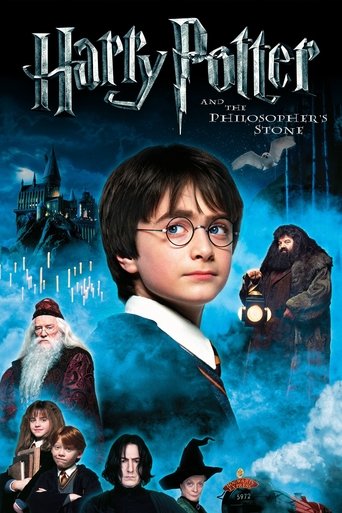 Open on HBO Max ↗
Your pick
Harry Potter and the Sorcerer's Stone
Start the marathon. Eight nights.
-
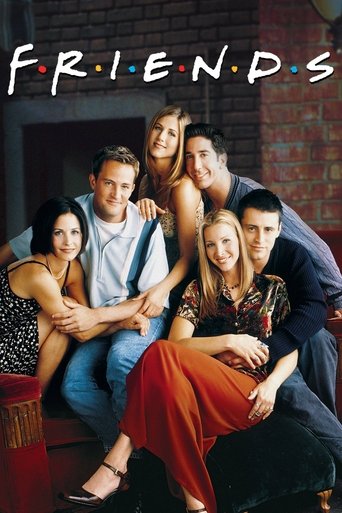 Open on HBO Max ↗
Your pick
Friends
Comfort watch. You both know the lines.
-
 Open on HBO Max ↗
Your pick
The Last of Us
Episode three. Stay on the call after.
-
 Open on HBO Max ↗
Your pick
The White Lotus
Guess who dies. Bet on it.
-
 Open on HBO Max ↗
Your pick
IT: Welcome to Derry
Scary is better with company.
-
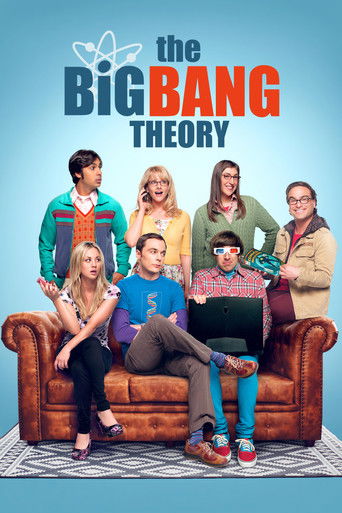 Open on HBO Max ↗
Your pick
The Big Bang Theory
Bazinga. Groan together, every time.
-
 Open on HBO Max ↗
Your pick
Heated Rivalry
Forget the score. Are they kissing yet?
-
 Open on HBO Max ↗
Your pick
Euphoria
Pause. We need to talk about Rue.
-
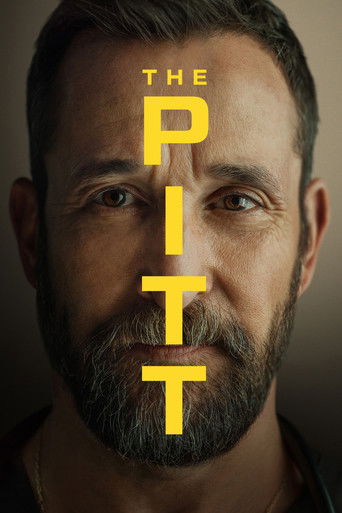 Open on HBO Max ↗
Your pick
The Pitt
Robby needs a break. So do we.
What you need for a HBO Max watch party
- Each of you signed in to HBO Max on your own laptop, with access to the title.
- Chrome on a laptop or desktop works best. Other Chrome-based browsers may work too. Phones can't run Flickcall.
- The Flickcall extension, free to add. A free Flickcall account turns on video chat.
HBO Max watch party FAQs
Does HBO Max have a watch party feature?
The HBO Max web player has no watch party button. Flickcall adds one: a free HBO Max watch party extension for Chrome that keeps the show or movie in sync for everyone in the party, with video chat beside the player.
Can we watch HBO Max together on Discord?
Screen sharing HBO Max on Discord often shows your friends a black screen. With Flickcall nobody shares a screen: each of you plays HBO Max on your own laptop, and Flickcall keeps the players in sync.
Do we both need our own HBO Max account?
Each person watches on their own laptop, signed in to HBO Max. If you live apart, each of you needs your own HBO Max account or an eligible extra member.
Does the HBO Max plan with ads work?
Yes. Each person sees their own ad break on their own laptop. Flickcall holds the party while one of you is in a break, then play continues together.
Does it work for a movie night, not just episodes?
Yes. Open a movie, start the party, send the link; your friends land on it at your spot.
Can we watch HBO Max together long distance?
Yes, from different cities or countries, as long as HBO Max streams the show where each of you is. Catalogues differ from place to place, so pick a title you can both open.
Can I join an HBO Max watch party on my phone?
No. Flickcall runs in Chrome on a laptop or desktop. Phones aren't supported.
Is Flickcall free?
Yes. Core features like video playback sync and chat are free on every supported platform. Video and voice chat come with a free weekly allowance. Paid plans unlock unlimited video chat, and only one person in the party needs one.
Watch parties on more streaming platforms














one thing first
Add Flickcall, then open
Flickcall is a free Chrome extension. Add it, come back, and every show here opens with a party button on the video.
Add Flickcall to Chrome, free Just open it on HBO Max ↗